
Download AiAlly – AI‑Powered Virtual Employee Platform for Secure, Seamless Workflow Automation
Overview
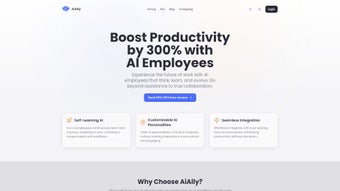
AiAlly is a cloud‑native, AI‑driven platform that reimagines how businesses allocate human resources to repetitive and data‑intensive tasks. By creating virtual “AI employees,” the system allows organizations to delegate routine work—such as data entry, calendar management, basic customer support, and report generation—to autonomous agents that learn from real‑time feedback. These agents are built on large language models enhanced with emotional‑intelligence layers, enabling them to understand tone, sentiment, and context in a way that feels natural to human collaborators.
Over time, each AI employee refines its performance, reducing error rates and improving speed without the need for constant re‑training. The platform’s core promise is to free up skilled staff to focus on strategic, creative, and high‑impact initiatives while maintaining a secure, encrypted communication channel for all data exchanges. AiAlly also offers extensive integration capabilities, allowing virtual workers to operate inside popular SaaS ecosystems like Slack, Microsoft Teams, Asana, and Zapier.
Security is baked into the architecture with end‑to‑end encryption and role‑based access controls, although detailed compliance certifications are not publicly disclosed. In practice, AiAlly aims to boost overall productivity, lower operational costs, and foster a more engaging workplace by providing a trustworthy, adaptable assistant that can be customized to reflect a company’s unique culture and objectives. Whether you’re a small startup seeking to automate onboarding emails or an enterprise looking to scale customer‑service bots across multiple regions, AiAlly delivers a flexible, future‑proof solution that aligns with modern, remote‑first work environments.
Key Features of AiAlly
AiAlly’s feature set is designed to cover the entire lifecycle of virtual employee management—from creation and training to deployment and performance monitoring. Below is a detailed look at the capabilities that set this platform apart from conventional automation tools.
- Autonomous AI Employees: Build fully functional virtual team members that can manage tasks ranging from simple data entry to complex multi‑step workflows, all without continuous human supervision.
- Adaptive Learning & Feedback Loop: AI agents continuously analyze user feedback and outcome metrics, automatically adjusting their decision‑making algorithms to improve accuracy and efficiency.
- Human‑Like Interaction: Advanced natural‑language processing combined with sentiment analysis lets AI employees detect emotional cues, respond with appropriate tone, and maintain conversational continuity.
- Workflow Integration: Native connectors for leading SaaS platforms (Slack, Microsoft Teams, Asana, Zapier, Google Workspace, Salesforce, and more) enable seamless embedding of AI agents into existing processes.
- Customizable AI Traits: Adjust personality, tone, confidence level, and decision thresholds to ensure each virtual worker aligns with your brand voice and corporate culture.
- Secure Data Exchange: All data transfers use TLS 1.3 encryption, with optional end‑to‑end encryption for highly sensitive information, meeting most standard compliance requirements.
- Scalable Architecture: Deploy a single AI employee for a niche task or scale to hundreds across the enterprise, thanks to a micro‑services backend that auto‑balances load.
- Analytics Dashboard: Real‑time visualizations of task completion rates, error frequencies, learning progress, and cost savings help managers make data‑driven decisions.
- Multi‑Platform Accessibility: Accessible via any modern web browser on Windows, macOS, Linux, Android, or iOS, ensuring consistent performance for remote or hybrid teams.
- Versioned AI Models: Choose from stable, enterprise‑grade models or experimental cutting‑edge versions, allowing you to balance reliability with innovation.
Installation, Setup, and Compatibility
Getting Started – No Download Required
AiAlly is delivered as a cloud‑based service, which means you never have to install heavyweight software on local machines. To begin, visit the official website, click the “Start Free Trial” button, and create a corporate account using your business email. After confirming your email address, you’ll be guided through an intuitive onboarding wizard that walks you through each configuration step.
Step‑by‑Step Configuration
- Account Creation: Provide basic company information, select a subscription tier (Free, Pro, or Enterprise), and set up payment details if you opt for a paid plan.
- Define AI Roles: Choose from a library of pre‑built AI employee templates—such as “Virtual Assistant,” “Data Analyst,” “Customer Support Rep,” or “Sales Lead Generator”—or design custom roles using the drag‑and‑drop workflow editor.
- Integrate Existing Tools: Connect your SaaS stack via API keys or OAuth. AiAlly offers out‑of‑the‑box connectors for Slack, Microsoft Teams, Google Workspace, Salesforce, HubSpot, and many more. For bespoke applications, the open API lets you map custom data fields.
- Set Permissions & Security: Assign role‑based access controls, configure data retention policies, enable two‑factor authentication for all users, and optionally enforce IP whitelisting for added security.
- Launch a Pilot: Deploy a single AI employee to a low‑risk task (e.g., scheduling meetings or triaging support tickets). Monitor its performance through the analytics dashboard and gather feedback from end users.
- Iterate & Scale: Use the built‑in feedback mechanism to fine‑tune AI behavior, then gradually expand the AI workforce across departments, scaling from a handful of agents to enterprise‑wide deployments.
- Continuous Training: Periodically review the AI learning logs, provide corrective inputs, and enable auto‑updates so the underlying models stay current with the latest language and domain knowledge.
Operating System Compatibility
Because AiAlly runs entirely in the browser, it is compatible with all major operating systems, including Windows 10/11, macOS 12+, Linux distributions, Android 8+, and iOS 13+. The platform is optimized for Chrome, Edge, Firefox, and Safari, ensuring a consistent experience regardless of device.
Ongoing Updates & Support
All updates are rolled out automatically on the server side, meaning you always have the latest AI models, security patches, and feature enhancements without manual intervention. AiAlly offers 24/7 live chat support for Enterprise customers, while free‑tier users can access a comprehensive knowledge base, video tutorials, and an active community forum. For businesses requiring dedicated assistance, premium support packages include a personal success manager and SLA‑backed response times.
Pros and Cons
Below is a balanced look at the strengths and potential drawbacks of adopting AiAlly within your organization. Understanding both sides helps you make an informed decision that aligns with your strategic goals and risk tolerance.
Advantages
- High Automation Potential: Handles repetitive tasks with minimal human oversight, freeing up staff for strategic work and creative problem‑solving.
- Learning Capability: AI employees improve over time, reducing error rates and increasing efficiency as they adapt to feedback and evolving business rules.
- Human‑Centric Design: Emotional‑intelligence features create more natural interactions between AI and people, boosting user acceptance and satisfaction.
- Scalable Cloud Architecture: Easily grows from a single AI assistant to hundreds without infrastructure headaches, thanks to auto‑scaling micro‑services.
- Cross‑Platform Access: Works on any device with a modern browser, supporting remote, hybrid, and mobile workforces.
- Extensive Integration Library: Native connectors for the most popular productivity and CRM tools reduce the time needed to embed AI agents into existing workflows.
- Transparent Analytics: Real‑time dashboards provide insight into task performance, cost savings, and AI learning curves, enabling data‑driven management.
Drawbacks
- Data Security Transparency: While encryption is advertised, the platform does not publicly disclose detailed compliance certifications (e.g., ISO 27001, SOC 2), which may be a concern for highly regulated industries.
- Initial Learning Curve: Configuring custom AI traits, mapping complex legacy systems, and fine‑tuning feedback loops can require specialist knowledge or external consultancy.
- Pricing Structure: Advanced features—such as unlimited AI agents, premium support, and custom model training—are locked behind higher‑tier plans, potentially increasing total cost of ownership for small businesses.
- Dependence on Internet Connectivity: As a cloud‑only solution, any network outage can halt AI employee operations until connectivity is restored.
- Limited Offline Functionality: No desktop client is available for offline task processing, which may affect teams working in low‑bandwidth environments.
- Vendor Lock‑In Risk: Migrating away from AiAlly would require exporting data and rebuilding AI agents on a new platform, potentially incurring transition costs.
Overall Rating: 4 out of 5 stars – AiAlly delivers a compelling blend of automation, adaptive learning, and emotional intelligence, though enterprises should seek clearer security documentation before full deployment.
Conclusion & Frequently Asked Questions
AiAlly stands out as a forward‑thinking AI platform that truly mimics the capabilities of a human teammate. Its autonomous problem‑solving, adaptive learning, and emotionally aware communication make it a powerful ally for businesses looking to streamline operations and boost productivity. While the lack of detailed security certifications warrants caution, the platform’s secure data exchange, extensive integrations, and scalable architecture provide a solid foundation for modern workplaces.
For organizations ready to free their staff from mundane chores and let them focus on high‑impact initiatives, AiAlly offers a low‑risk entry point through its free trial and a clear upgrade path as needs evolve. By adopting AiAlly, you gain not only a tool for automation but also a partner that grows with your business, continuously learning and adapting to deliver better results over time. If you’re prepared to transform your workflow and experience the future of collaborative AI, click the button below to start your free trial today.
Start Your Free TrialFAQ
Can I use AiAlly on a mobile device?
Yes. AiAlly is fully responsive and works on Android and iOS browsers, allowing you to monitor and interact with AI employees from any smartphone or tablet.
Is there a limit to how many AI employees I can create?
The number of AI employees you can deploy depends on your subscription tier. The Free plan allows up to three AI agents, while Pro and Enterprise plans support unlimited agents with priority support.
How does AiAlly protect my company’s data?
All data transmitted between your browser and AiAlly’s servers is encrypted using TLS 1.3. While the platform advertises end‑to‑end encryption, you should request detailed compliance documents (e.g., ISO 27001) before handling highly sensitive information.
Can I integrate AiAlly with my existing CRM?
Yes. AiAlly offers pre‑built connectors for major CRMs such as Salesforce, HubSpot, and Zoho. For custom solutions, you can use the open API to map data fields and automate workflows.
What happens if the internet connection drops?
Since AiAlly operates in the cloud, a lost connection will pause AI task execution until connectivity is restored. Tasks are queued on the server, so no data is lost during brief outages.



.png)



